GasTag for iOS
- View live gas readings from your DiveSoft Analyzer and print professional tank labels wirelessly
- Save a history of your analyzed tanks directly on your iPhone
Requires iOS 17.0 or later. Compatible with iPhone.
App Features
Everything you need for efficient gas analysis
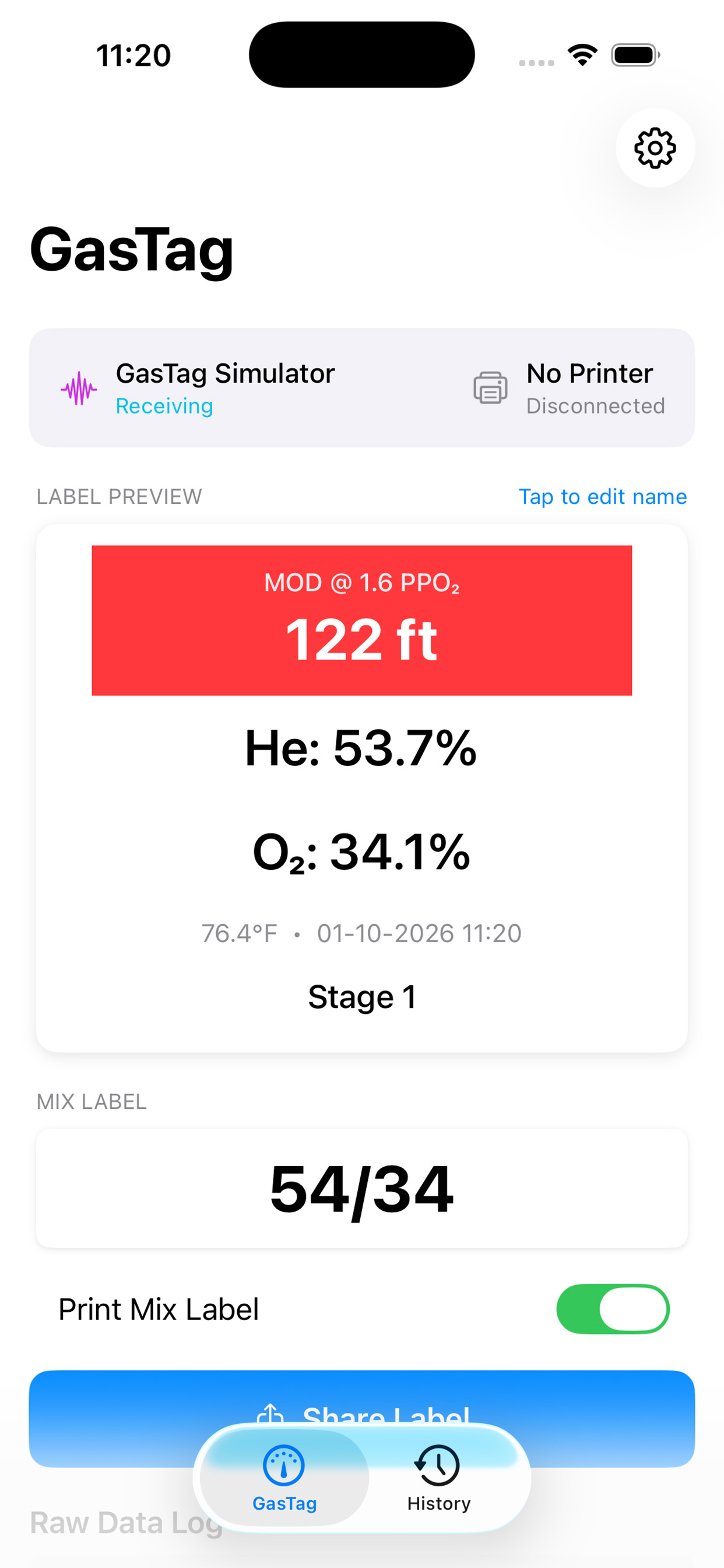
Live Gas Readings
See Helium, Oxygen, temperature, and pressure in real-time as you analyze.
MOD Calculation
Automatic Maximum Operating Depth calculation at user selectable PPO₂.
Label Preview
See exactly what your printed label will look like before printing, with the option to include a narrow label with just the analysis for placing on top of the valve.
One-Tap Printing
Print professional, color tank labels wirelessly to your Brother printer.
Label Sharing
No printer? No Problem! You can still save history of your analysis in the app log or save an image to your files.
Mix Notation
Standard gas mix notation (e.g., 16/40) calculated automatically.
Analysis History
Review past readings and reprint labels when needed.
Printer Setup
Connect your Brother QL-820NWB for label printing
Required Printer
GasTag works with the Brother QL-820NWB label printer using DK-2251 continuous length labels (red/black on white) or for longer lasting labels in the water we recommend DK-2212 continuous length labels (black and white only). The DK2251's will last for a few dives but are available in red/black on white while the DK-2212's last longer, they are great for stage or bailout bottles but only available in black and white.
Pairing Steps
- 1 Turn on your Brother QL-820NWB printer
- 2 On the printer, hold the Bluetooth button until the light blinks
- 3 On your iPhone, go to Settings → Bluetooth
- 4 Find and pair with "QL-820NWB"
- 5 Open the GasTag app and tap the printer icon to connect
Compatibility
iPhone 15 or later
USB-C port can power the GasTag bridge directly. Connect your iPhone to the ESP32 with a USB-C cable.
Older iPhones
Use a USB power bank to power the GasTag bridge. The app connects via Bluetooth regardless of how the bridge is powered.